Data Studio Templates
Browse our library of high-performance Data Studio dashboard templates. Built with native Google connectors for marketers, agencies, and ecommerce leaders who want reliable reporting without spending days configuring charts.
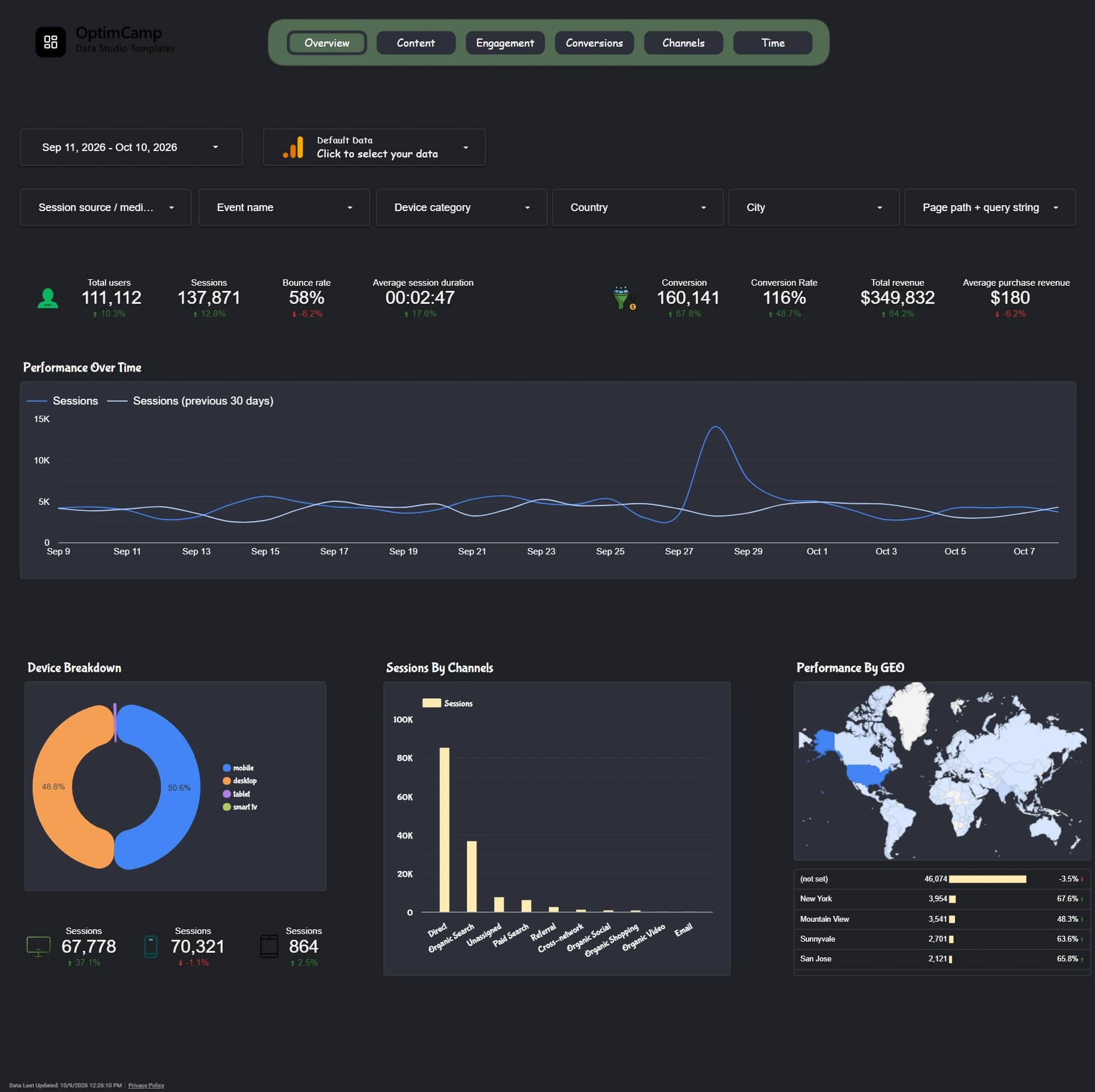
GA4 Data Studio Template
Comprehensive Google Analytics 4 reporting dashboard for traffic, conversions, engagement, and revenue.
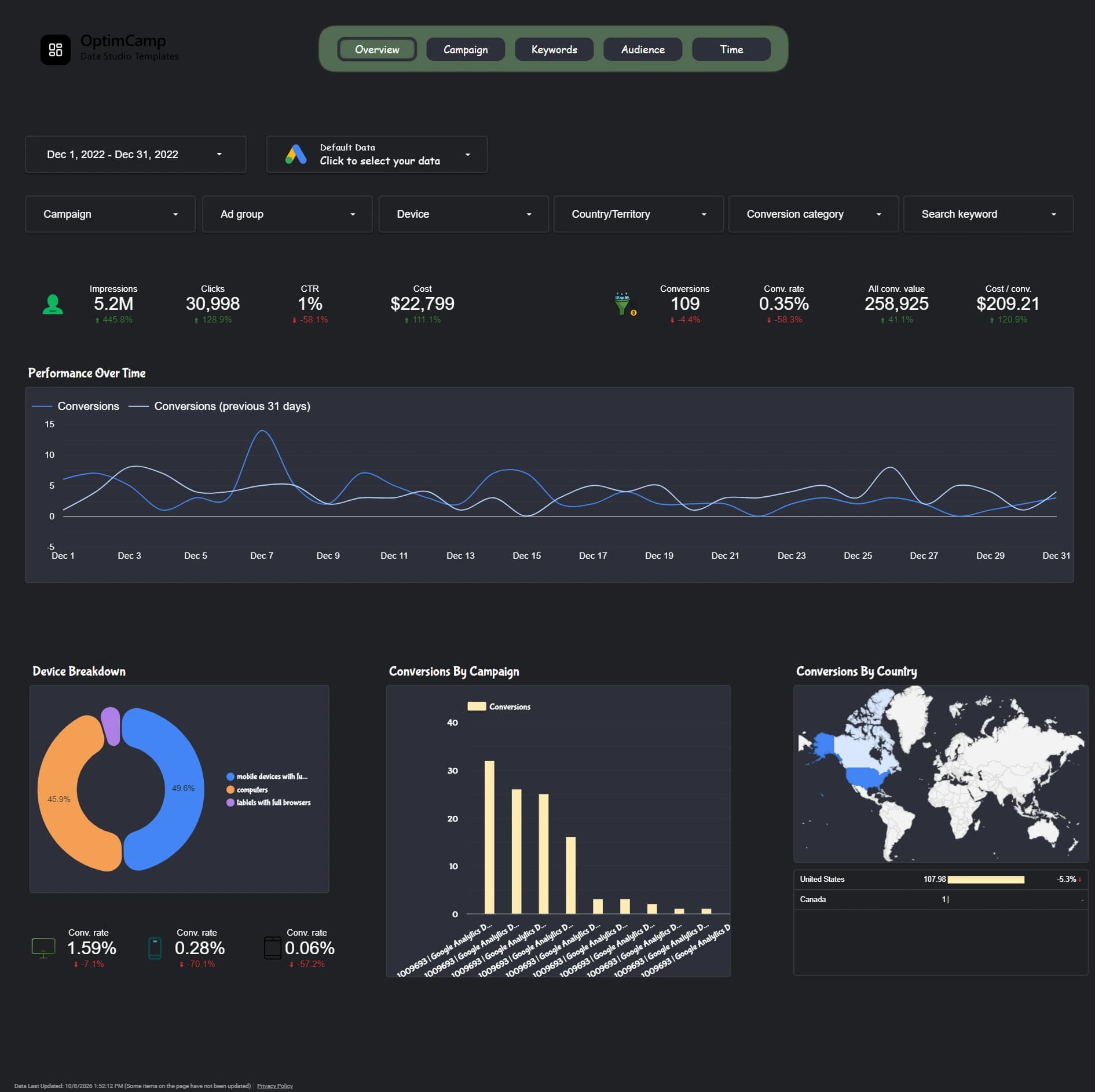
Google Ads Data Studio Template
Customizable Google Ads Data Studio template to track campaigns, keywords, ad spend, conversions and performance.
Need custom Data Studio dashboards for your agency?
We offer bespoke report architecture, custom SQL queries, and multi-source setups.
Find the Right Data Studio Template for Your Reporting
Reporting needs vary from one team to another. A performance marketer may focus on campaign spend and conversions, while an analytics team needs a clearer view of website engagement and customer journeys. OptimCamp brings ready-to-use Data Studio templates together in one place, so you can compare reporting options and choose a dashboard that fits the data you work with.
Instead of starting with an empty report, you can begin with an existing dashboard structure and adapt it to your reporting priorities. Browse the available templates above to review each dashboard's coverage, preview, and setup details before choosing.
Choose a Dashboard Based on Your Data Source
The most useful reporting template is the one built around the questions your team actually needs to answer. Start by identifying your main data source and the decisions your report should support.
- Website and customer behavior: If you need a clearer view of traffic, engagement, and website outcomes, explore the GA4 Data Studio Template.
- Paid advertising performance: If your priority is reviewing advertising spend, campaign results, and conversion performance, explore the Google Ads Data Studio Template.
Each product page explains its own reporting coverage in more detail. Compare those details with your team's KPIs before selecting a template.
What to Look for in a Marketing Dashboard Template
A useful dashboard should make recurring reporting easier without hiding the context behind the numbers. Before choosing a template, consider these practical questions:
- Relevant metrics: Does the dashboard focus on the KPIs you actually review?
- Clear structure: Can someone understand the main results without searching through dozens of charts?
- Reporting audience: Is the layout appropriate for your own analysis, a client update, or a stakeholder review?
- Customization: Can you adapt the report to the way your team presents and evaluates performance?
Choosing the right structure is often more valuable than choosing the dashboard with the most charts. Start with the questions that matter, then select a template that helps answer them.
Make Recurring Marketing Reports Easier to Manage
Ready-made reporting templates can reduce the repetitive work of organizing charts and laying out the same metrics each reporting cycle. They also give teams a consistent starting point for weekly performance reviews, monthly summaries, and client reporting.
Explore the template collection above, open the product previews, and choose the reporting format that matches your workflow. As the OptimCamp library expands, this page will remain the place to browse available Data Studio templates across supported data sources.